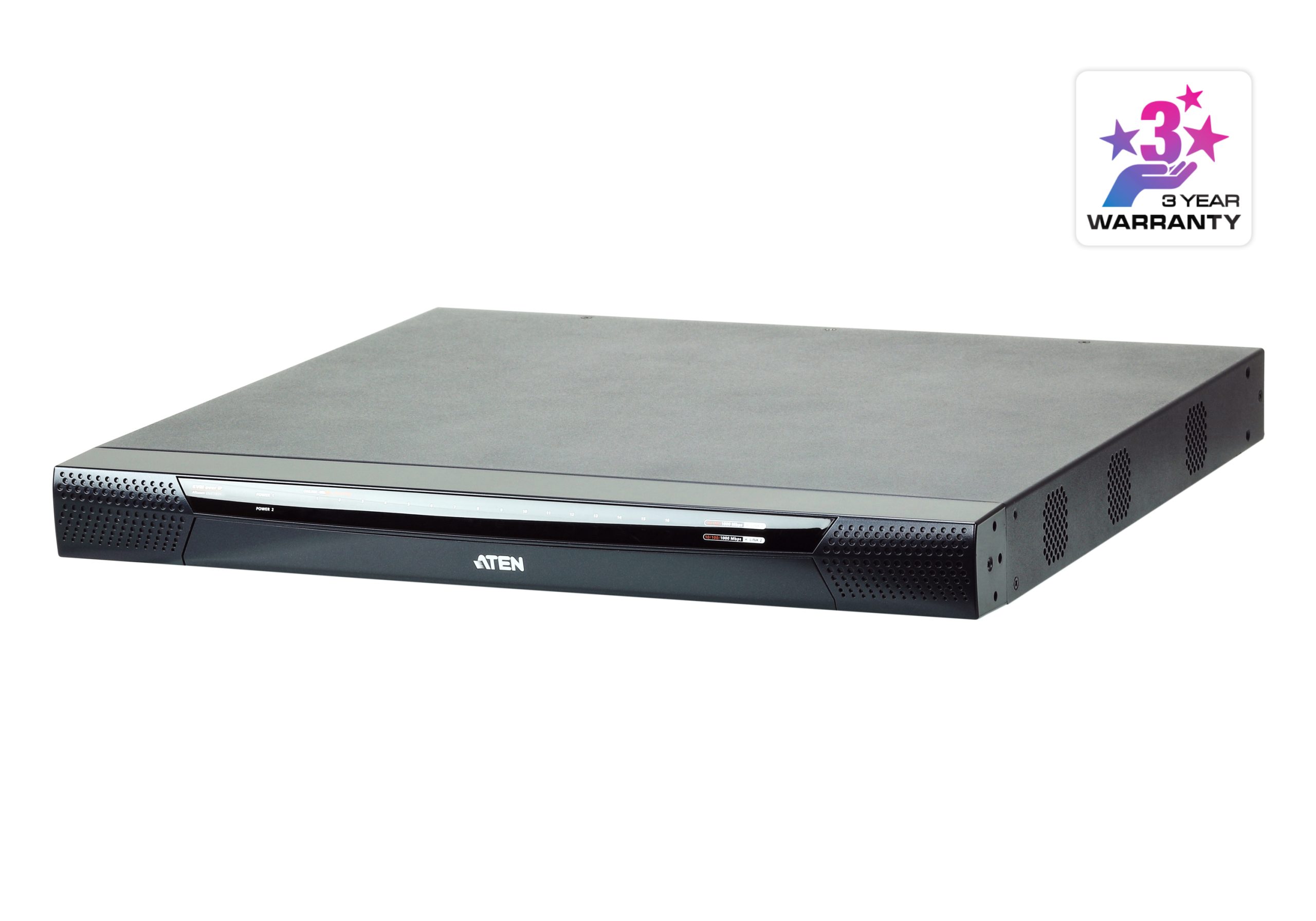
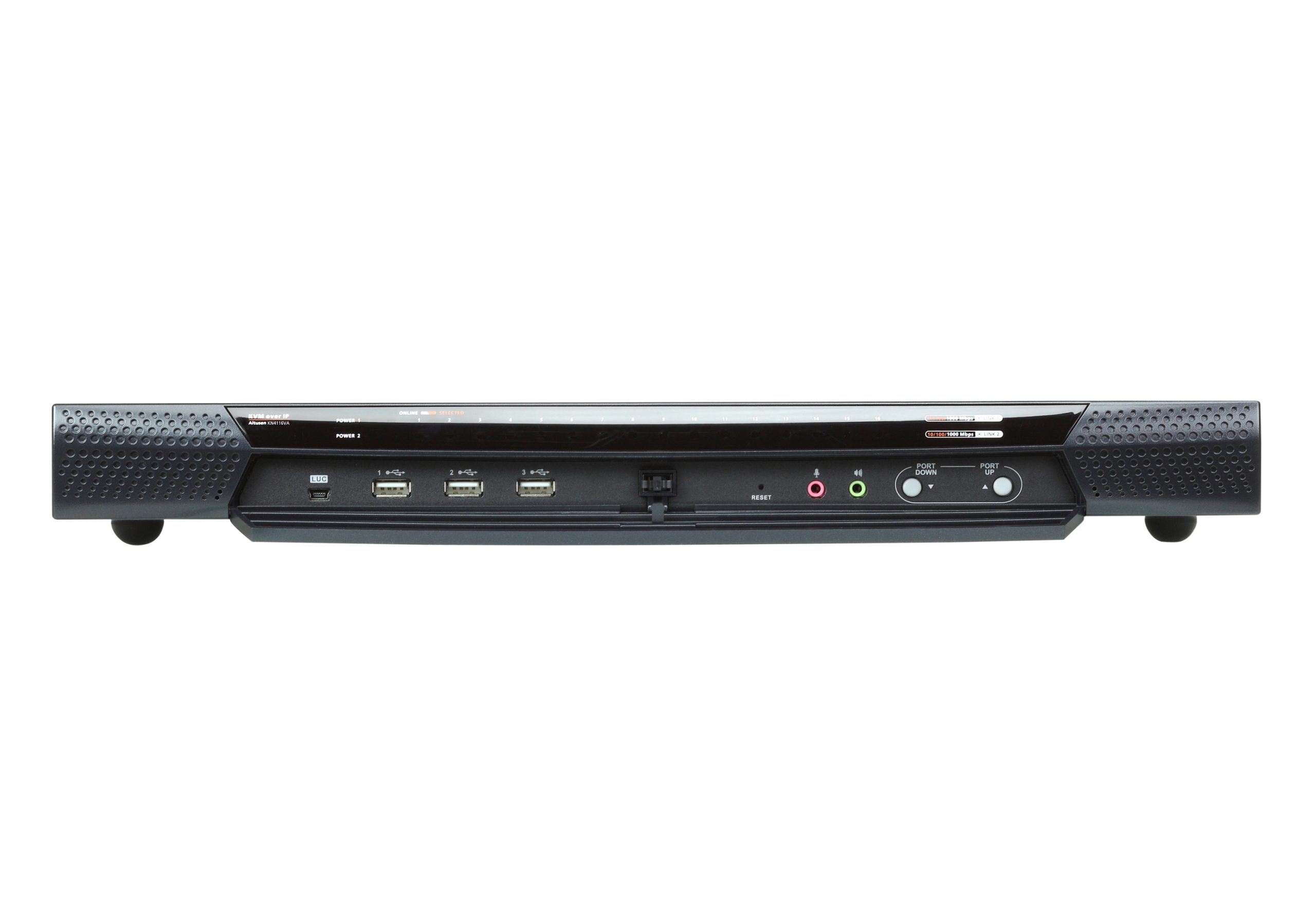
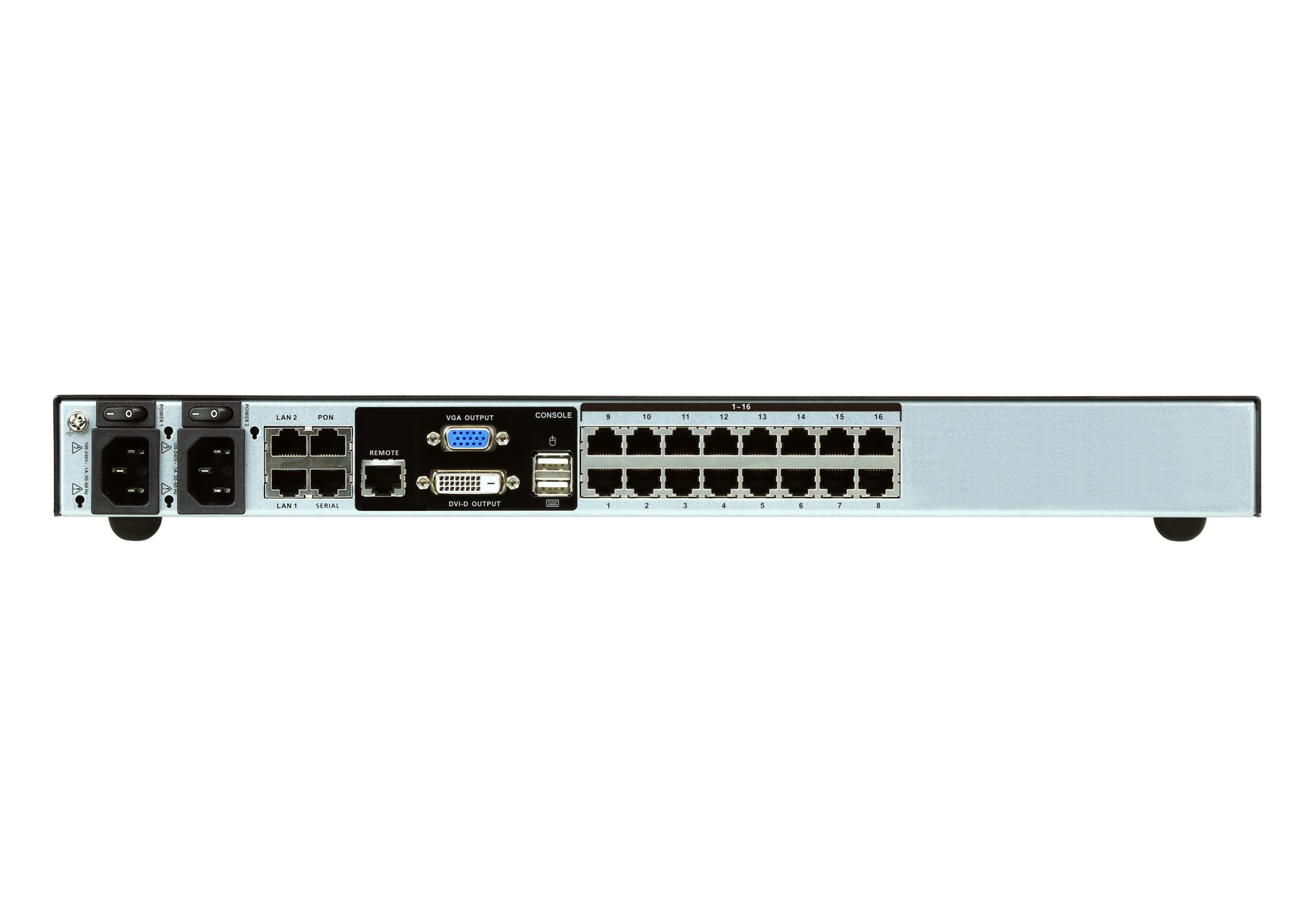


ATEN KN4116VA
1-Local/4-Remote Access 16-Port Multi-Interface Cat 5 KVM over IP Switch
ATEN’s 4th generation of KVM over IP switches exceed expectations. The KN4116VA features superior video quality (Full HD resolution of 1920 x 1200), FIPS 140-2 with level 1 security standards and virtual media transmissions at twice the speed. The KN series provides local console and remote over IP access for users to monitor and access their entire data center over a network. In addition, it offers out-of-band access with external modem support for BIOSlevel troubleshooting when the network is down.
New KN Series Exclusive:
• High grade security – supports FIPS 140-2 level 1 security standards
• Extreme virtual media speed – 2 x faster virtual media transmission speed
• Advanced FPGA graphics processor – with an Full HD resolutions of 1920 x 1200
With dual on-board NICs and dual power supplies, the KN series are built for reliability, to ensure 24/7 availability of remote access to all servers.
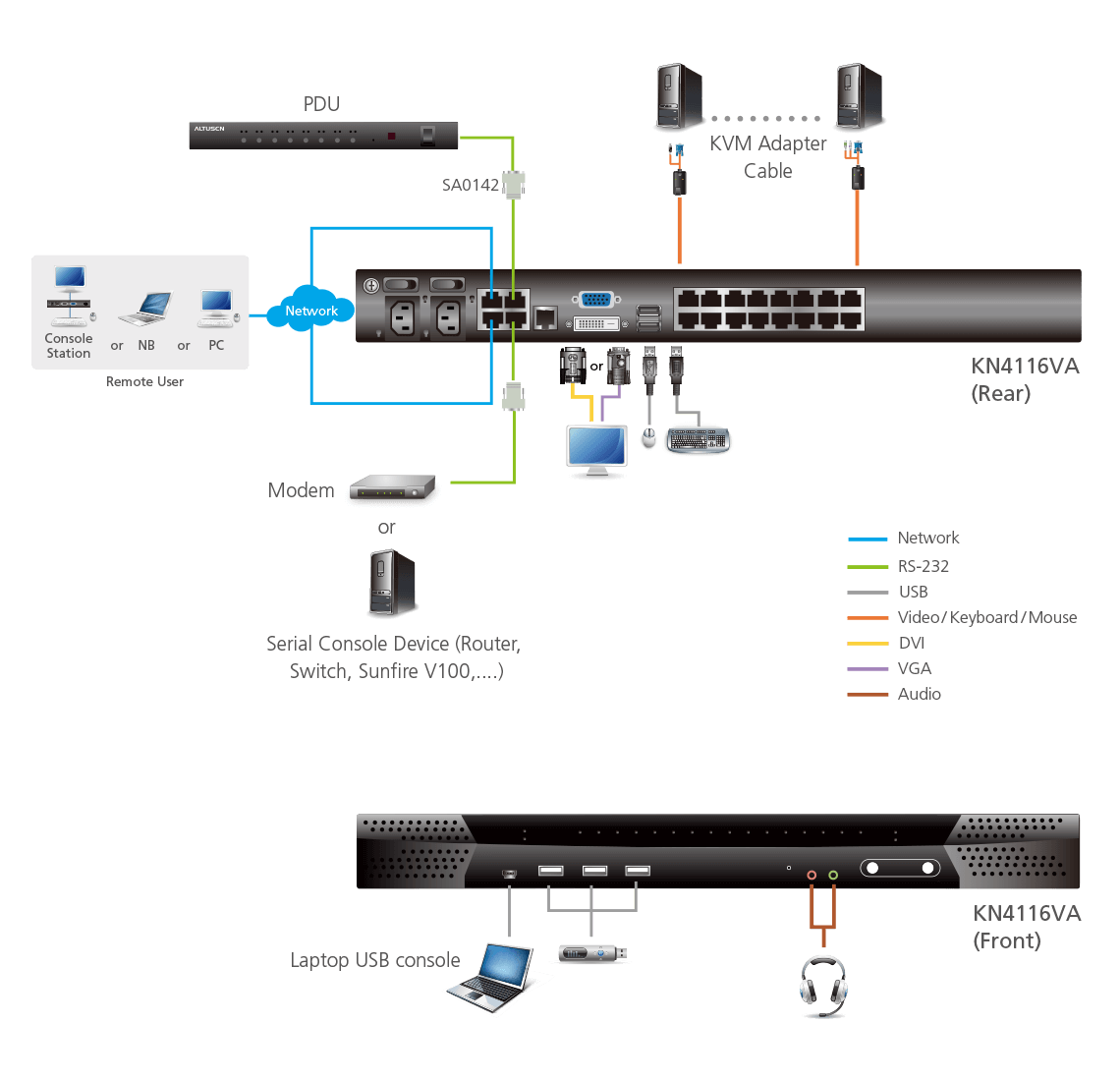
The KN series offers out-of-band (OOB) management that enables IT administrators to manage network devices (e.g. server, storage, router/switch) in server rooms via management networks that are separate from the main/production networks. So if there’s difficulty in accessing the network devices through the production network, the administrators can still access them via the KVM switch. The KVM switch offers several out-of-band access methods, such as a direct console connection from a local computer, a USB console connection from a laptop, a PSTN connection via modem, or a dedicated management network connection via the Ethernet (LAN) port.
KN series devices can be integrated into the CC2000 Management Software. The CC2000 puts administrators in complete control of remote data centers and branch offices no matter where they are in the world – allowing IT administrators to remotely monitor and control all devices on a network, including blade servers and virtual machines.
In addition, the KN series is compatible with ATEN’s KVM over IP Console Station, the KA82 series. The KA82 series is a hardware-based standalone console solution that can centrally manage multiple KN devices. It is especially suitable for environments where a PC is not allowed. The KVM over IP Console Station features a 0U space-saving compact design and low power consumption for 24/7 operations.
To help you manage and control an entire data center, ATEN KVM over IP switches support blade servers and chassis. With powerful features such as Power Association – KVM ports can be associated with ATEN PDU power outlets for power management of servers from the KVM over IP switches’ user interface.
Additional exclusive features of ATEN KVM over IP switches include: a Message Board, Panel Array Mode™, Mouse DynaSync™ and the Adapter ID.
A Windows Client and a Java Client are available for remote access. They allow IP connection and login from anywhere over the internet. In addition, ATEN also provides an iOS APP – PadClient, whose intuitive interface makes it easy to connect to the KVM over IP switch and control computers direct from your iPad. Please visit the PadClient webpage for more information.
ATEN KVM over IP switches save you time and money by allowing administrators to manage their data centers from practically anywhere – minimizing travel and MTTR (Mean Time to Repair) costs, ensuring the highest availability for data center services possible.
Package Contents
- 1x KN4116VA KVM over IP Switch
- 2x Power Cords
- 1x Mounting Kit
- 2x Lok-U-Plugs
- 1x Lok-U-Plug Installation Tool
- 1x Foot Pad Set (4 pcs.)
- 1x User Instructions
Specifications
| Console Connections | |
| Local | 1 |
| Remote | 4 |
| Computer Connections | |
| Direct | 16 |
| Maximum | 512 (via Cascade) |
| Port Selection | Pushbuttons, Hotkeys, GUI |
| Connectors | |
| Console Ports | 2 x USB Type-A Female (White) 1 x DVI-D Female (White) 1 x VGA HDB-15 (Blue) 1 x RJ-45 Female (Black) |
| USB Port | 3 x USB Type-A Female |
| Audio | 2 x Audio Jack Female |
| Laptop USB Console (LUC) Port | 1 x USB Mini-B Female |
| KVM Ports | 16 x RJ-45 Female |
| Serial | 1 x RJ-45 Female |
| PON | 1 x RJ-45 Female |
| LAN Ports | 2 x RJ-45 Female |
| Power | 2 x IEC 60320/C14 |
| Switches | |
| Port Selection | 2 x Pushbuttons |
| Reset | 1 x Semi-recessed Pushbutton |
| Power | 2 x Rocker Switches |
| LEDs | |
| Online / Selected | 16 (Green/Orange) |
| Link 10 / 100 / 1000 Mbps | 2 (Red/Orange/Green) |
| Power | 2 (Blue) |
| Emulation | |
| Keyboard / Mouse | PS/2; USB |
| Video | |
| Local | 1920 x 1200 @ 60Hz |
| Remote | 1920 x 1200 @ 60Hz |
| Scan Interval | 1 – 255 Sec |
| Maximum Input Power Rating | 100–240V~ ; 50-60Hz; 1A |
| Power Consumption | AC110V:50.3W:272BTU/h AC220V:48.9W:266BTU/hNote: ● The measurement in Watts indicates the typical power consumption of the device with no external loading. ● The measurement in BTU/h indicates the power consumption of the device when it is fully loaded. |
| Environmental | |
| Operating Temperature | 0 – 40˚C |
| Storage Temperature | -20 – 60˚C |
| Humidity | 0 – 80% RH, Non-condensing |
| Physical Properties | |
| Housing | Metal |
| Weight | 5.60 kg ( 12.33 lb ) |
| Dimensions (L x W x H) | 43.36 x 41.21 x 4.40 cm (17.07 x 16.22 x 1.73 in.) |
| Note | For some of rack mount products, please note that the standard physical dimensions of WxDxH are expressed using a LxWxH format. |
Datasheet
kn2116va_4116va_1132v_2132va_4132va_8132v_4164v_8164v_kvm_over_ip_switch_ds_en.pdf (1.32 MB)
User Manual
| File Name | Release Date |
| kn2116va-kn4116va-kn2124va-kn4124va-kn1132v-kn1132vb-kn2116vb-kn2124vb-kn2132va-kn2132vb-user-manual-w.pdf (15.21 MB) | 2024-10-16 |