
KVM Switch Desktop One Console for Multiple Computers
Control multiple computers with one keyboard, monitor, and mouse. Save space, cost, and time — with stable video quality up to 4K.
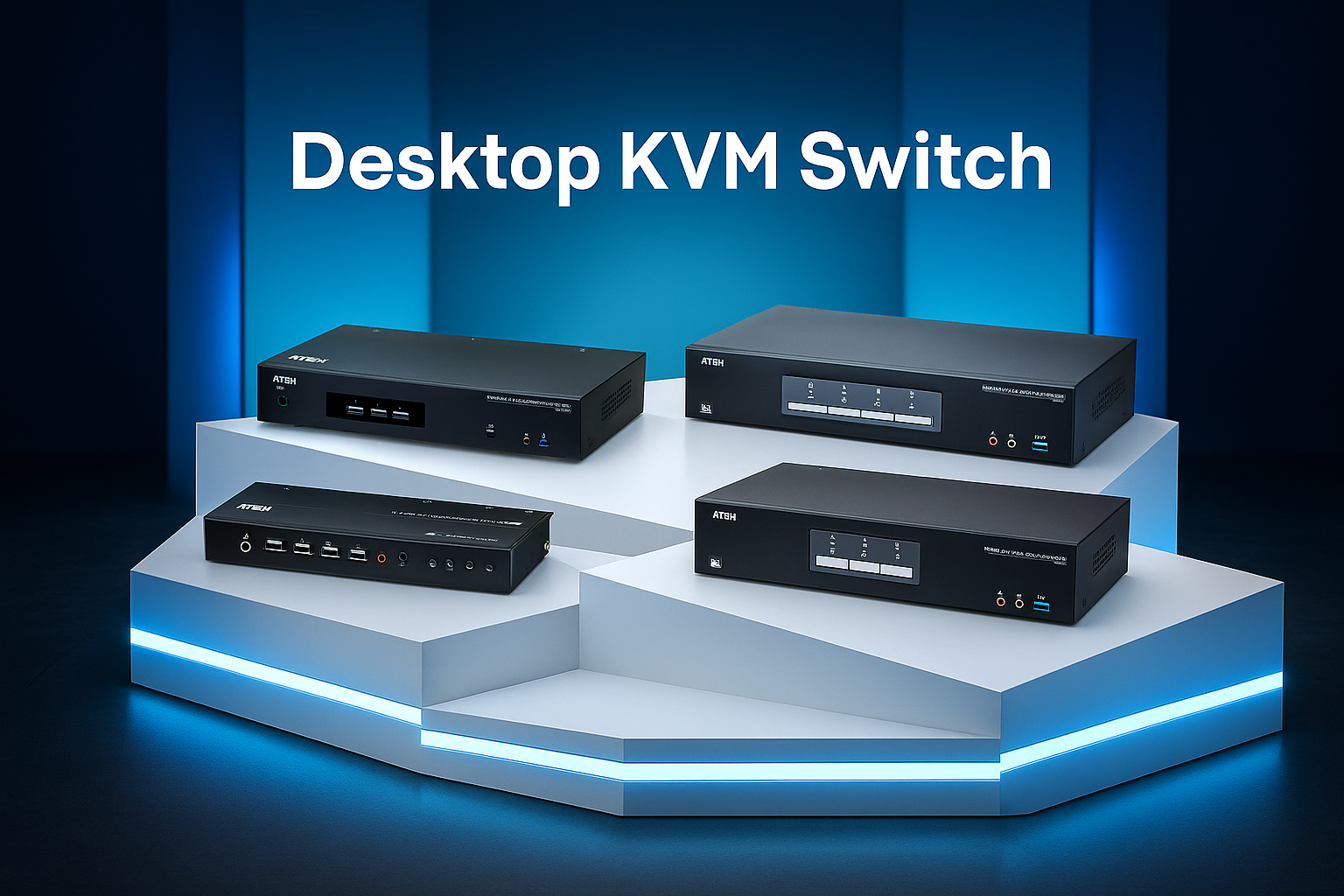
We Provide Advanced KVM Solutions
Efficient Switching • Real-Time Control • Data & Video • Scalable
Efficient Switching
Control multiple computers instantly with one keyboard, monitor, and mouse.
Real-Time Control
Switch seamlessly with hotkeys or buttons without delays.
Data & Video
Supports high-resolution video output and peripheral sharing.
Scalable
Expandable for multi-device and enterprise-level environments.
Our Brands
We deliver and integrate top desktop KVMs from these brands.
ATEN
Premium KVM switches with multi-display and USB sharing support.

Beacon
Secure and energy-efficient KVM solution for scalable environments.
What is a KVM Switch Desktop?
KVM = Keyboard, Video, Mouse. The device connects one set of K/M/monitor to two or more computers and lets you switch control instantly.
How It Works
KVM emulates keyboard/mouse/monitor signals so each PC always “sees” connected devices. Switching via panel button, hotkey, or mouse (boundless).
Interface Types
HDMI, DisplayPort, DVI, VGA, and USB‑C/Thunderbolt (model dependent). Many models feature USB 3.x hubs and audio.
Scale of Use
Ideal for 2–4 port desktops up to control rooms. Available in Multi‑View and Secure KVM for regulated industries.
More About Us & What We Offer
We deliver advanced KVM Switch solutions from top brands including ATEN, and Beacon. Each product is engineered with innovation and efficiency to support businesses of all scales.
- ATEN: High-resolution, USB peripheral sharing, multi-display
- Beacon: Secure, energy-efficient, scalable
Benefits & Advantages
One Console, Multiple PCs
Control several computers with just one keyboard, monitor, and mouse.
Save Cost & Space
Reduce monitors and peripherals for a cleaner, more economical desk.
Boost Productivity
Switch instantly via button, hotkey, or mouse (boundless).
Stable Video Quality
Up to 4K resolution support with stable signal emulation.
USB/Audio Sharing
Integrated USB 3.x hub and audio switching in KVMP™ models.
Wide Compatibility
Supports HDMI/DP/DVI/VGA and USB‑C/Thunderbolt; cross‑platform OS support.
Who Uses It?
Industries and scenarios that benefit from desktop KVM switches.
Office Desktop
- One keyboard/monitor/mouse for multiple work/personal PCs
- Save desk space and keep it clean
Server Room & Data Center
- Quick access to multiple local servers/PCs
- Scalable from 2 ports to dozens
Control Room
- Fast switching & multi-view monitoring
- USB peripherals & audio integration
Manufacturing / Production Line
- Efficient workstation operation
- Support for legacy (VGA/PS/2) and modern (USB‑C/4K) devices
Education / Smart Classroom
- Share peripherals & displays between teacher/lab PCs
- Fast setup for hybrid learning
ATC / Mission‑Critical
- Special ATC‑grade models with high reliability
- Dual‑display 4K and seamless switching
Product Selection (Examples)
Use search or tag filters to find relevant models.
CS782DP
DisplayPort · 4K · Desktop2-Port USB DisplayPort KVM (4K)
- One set of keyboard/monitor/mouse for 2 PCs
- Hotkey & pushbutton switching
- Audio switching
US3311 (Duo Flex)
USB-C · DisplayPort · 4K2-Port USB-C DisplayPort KVM (4K)
- Plug-and-play USB-C
- Share USB 3.2 peripherals (4-port)
- Compact desktop setup
CS1842
HDMI · Dual Display · 4K2-Port 4K HDMI Dual Display KVMP™
- Dual HDMI monitors
- Integrated USB 3.0 hub
- Audio switching
CS1844
HDMI · Dual Display · 4K4-Port 4K HDMI Dual Display KVMP™
- Control 4 PCs
- Dual HDMI monitors
- USB 3.0 hub
CS1942DP
DisplayPort · Dual Display · 4K2-Port 4K DisplayPort Dual Display KVMP™
- Dual DisplayPort monitors
- USB 3.0 hub
- Audio support
CS1944DP
DisplayPort · Dual Display · 4K4-Port 4K DisplayPort Dual Display KVMP™
- Control 4 PCs
- Dual DP 4K monitors
- USB 3.0 hub
CS1922M
DisplayPort · MST · 4K2-Port 4K DisplayPort MST KVMP™
- MST for multi-monitor
- Includes cables (varies by model)
- USB 3.0 hub
CM1284
HDMI · Multi-View · 4K4-Port 4K HDMI Multi-View KVMP™
- Quad-view / PIP display
- Cross display switching
- USB 3.0 hub
CS82U
VGA · Legacy · PS/22-Port PS/2-USB VGA KVM
- Legacy device support
- Hotkey & pushbutton
- Simple setup
CS724KM
KM · Boundless · USB4-Port USB Boundless KM (Cables)
- Boundless switching (move mouse across screens)
- Cables included
- For multi‑PC, multi‑monitor
FAQ
Frequently asked questions about desktop KVMs.
What’s the difference between KVM and KM switch?
A KVM switches Keyboard/Video/Mouse (including video) between computers. A KM only switches Keyboard/Mouse across displays without video switching.
Does it support USB‑C/Thunderbolt?
Yes. There are dedicated USB‑C/Thunderbolt models that share modern displays and USB peripherals.
Is there a version for high‑security/regulated environments?
Yes. Secure KVM models provide data isolation and peripheral restrictions for Government, Healthcare, and Finance.